Despite the rapid shift toward cloud-based HR software, on-premises HRMS remains the deployment model of choice for a specific and significant segment of Indian organisations: large enterprises in regulated sectors, government-linked entities, BFSI organisations with strict data sovereignty requirements, and manufacturing companies with complex shift-based workforce management that requires deep system customisation.
Understanding what on-premises HRMS genuinely delivers — and where it genuinely creates problems — is essential before committing to either model.
What Is an On-Premises HRMS?
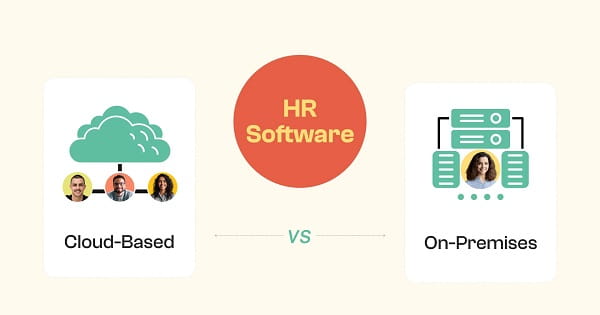
An on-premises HRMS is installed and operated on servers that the organisation owns and manages, within its own physical infrastructure. The organisation purchases a software licence, installs the system on its own hardware, manages all maintenance and updates internally (or through a managed service provider), and retains complete physical control over both the software and the data it contains.
Advantages of On-Premises HRMS
1. Complete Control Over Data
This is the primary reason large and regulated organisations choose on-premises deployment. All employee data — payroll records, performance history, personal information, compensation details — resides on servers the organisation physically controls. There is no third-party cloud provider involved in data storage. For organisations in banking, insurance, defence, and government sectors where data localisation, confidentiality, or regulatory compliance requirements restrict data from residing on external servers, this control is not a preference — it is a requirement.
2. Deep Customisation Capability
On-premises HRMS can be customised at the code level to match the organisation’s unique processes, workflows, and business rules. A company with highly specific pay structures, complex union agreements, unusual leave policies, or non-standard performance frameworks can work with implementation partners to configure the system to match those exact requirements — something standard cloud SaaS models typically cannot accommodate.
3. No Internet Dependency
On-premises systems run on internal networks and do not require internet connectivity to function. Employees at a manufacturing plant with poor internet access can clock in, HR can run payroll, and managers can access reports — all without external connectivity. This operational independence is a significant advantage for organisations with field operations, remote facilities, or sites where reliable internet cannot be guaranteed.
4. One-Time Licence Investment Potential
While the total cost of ownership calculation is complex, organisations that commit to an on-premises HRMS for the long term avoid ongoing subscription fees. The software licence is a capital investment rather than an operating expense. For very large organisations with stable headcounts and long planning horizons, the cumulative cost of cloud subscriptions over ten years can exceed the total cost of on-premises deployment.
5. Integration With Legacy Systems
Many large Indian enterprises have existing ERP systems (SAP, Oracle), payroll engines, or factory management systems that predate cloud-first architecture. On-premises HRMS can be integrated at the infrastructure level with these legacy systems in ways that cloud platforms — operating through APIs and standard connectors — may not fully support.
6. Internal Audit and Governance Control
On-premises deployment makes it straightforward for internal and external auditors to inspect, validate, and test the system’s data integrity and access controls. The organisation defines and manages its own security architecture, access logs, and audit trails without dependence on vendor-provided reports. For organisations subject to internal governance standards or external regulatory audits, this direct auditability matters.
Disadvantages of On-Premises HRMS
1. High Upfront Capital Expenditure
On-premises HRMS requires significant investment before the system processes a single piece of HR data: server hardware, software licences, database licences, implementation services, and network infrastructure. For mid-market organisations, this upfront cost can run from ₹20 lakhs to several crores before any ongoing maintenance costs are considered. This capital requirement makes on-premises deployment inaccessible for most SMEs.
2. Ongoing Maintenance and IT Overhead
Once deployed, the organisation is responsible for all maintenance: applying security patches, upgrading software versions, managing backups, monitoring hardware performance, and responding to system failures. This requires dedicated IT staff with specific technical knowledge of the HRMS platform. In talent markets where skilled IT personnel are expensive and difficult to retain, this ongoing dependency is a meaningful operational risk.
3. Compliance Updates Require Manual Intervention
Every time Indian statutory regulations change — a new budget changes TDS slabs, ESI contribution rates shift, a new Labour Code provision takes effect — the organisation must obtain a software update from the vendor, test it, and deploy it manually. In fast-moving regulatory environments like India’s, this compliance update cycle can lag behind cloud platforms by weeks or months, creating a window of non-compliance risk.
4. Limited Accessibility for Remote and Hybrid Teams
On-premises systems are designed for office-based access. Employees working remotely, HR staff working from home, or managers travelling cannot easily access the system without VPN connectivity, which adds complexity and creates its own security considerations. In post-2020 work environments where hybrid and remote work are standard expectations, the accessibility limitations of on-premises HRMS create genuine operational friction.
5. Slower Implementation and Higher Project Risk
On-premises implementations require infrastructure procurement, environment setup, data migration, integration configuration, and user acceptance testing — a process that typically takes three to twelve months for mid-to-large organisations. The longer the implementation, the higher the project risk, the higher the consulting costs, and the longer the organisation operates without modern HR infrastructure.
6. Scalability Requires Capital Investment
When an organisation grows significantly — acquiring a company, expanding to new locations, doubling headcount — scaling an on-premises HRMS means procuring additional server capacity, potentially purchasing additional software licences, and reconfiguring the infrastructure. Each scaling event is a capital and operational project. Cloud platforms scale automatically without additional investment or intervention.
7. Disaster Recovery Complexity
On-premises systems place the full burden of disaster recovery planning, backup infrastructure, and business continuity on the organisation. A server failure, fire, flood, or ransomware attack affecting on-premises HR data creates an immediate operational crisis. While cloud providers invest heavily in redundant infrastructure and automatic failover, on-premises organisations must build and maintain equivalent resilience themselves — an expensive and technically complex undertaking.
Frequently Asked Questions
Q1. Is on-premises HRMS still relevant in 2026?
A: Yes, for specific segments. Regulated sectors (BFSI, defence, government), large enterprises with complex customisation requirements, and organisations with strict data localisation obligations continue to find on-premises HRMS the appropriate choice. For SMEs and most mid-market organisations, cloud has become the default.
Q2. What Indian organisations typically choose on-premises HRMS?
A: Banks, insurance companies, government-linked entities, public sector undertakings, large manufacturing firms with complex factory act compliance, and organisations handling classified or sensitive data where external server storage is restricted.
Q3. Can on-premises HRMS be accessed by remote workers?
A: With VPN (Virtual Private Network) configuration, yes — but with significant added complexity and IT overhead. On-premises systems are architecturally designed for on-site or internal network access. Remote access requires additional infrastructure, security management, and IT support that cloud systems handle natively.
Q4. How often does an on-premises HRMS need to be updated?
A: Major version upgrades typically occur annually or biannually. Security patches should be applied as soon as they are released by the vendor — which requires ongoing IT monitoring and deployment capability. Compliance updates (for payroll, statutory changes) must be applied promptly to avoid regulatory risk.
Q5. What are the typical implementation costs for on-premises HRMS in India?
A: Implementation costs vary widely based on organisation size, existing infrastructure, integration complexity, and vendor. For mid-market organisations (200–1,000 employees), total on-premises HRMS costs (hardware, licence, implementation, first-year maintenance) typically range from ₹20 lakhs to ₹1 crore-plus. Enterprise implementations at 2,000+ employees can significantly exceed this range. Always obtain detailed total cost of ownership projections across a five-year horizon before comparing with cloud subscription alternatives.