Cloud-based HRMS has become the dominant model for HR technology deployment globally. In India, as of 2026, the overwhelming majority of new HRMS implementations are cloud-based SaaS deployments — not on-premises installations. The reasons are practical: lower upfront cost, faster implementation, remote accessibility, and automatic compliance updates without IT overhead.
But cloud is not the right answer for every organisation. Understanding what cloud-based HRMS genuinely delivers — and where it genuinely falls short — is the foundation of a good procurement decision.
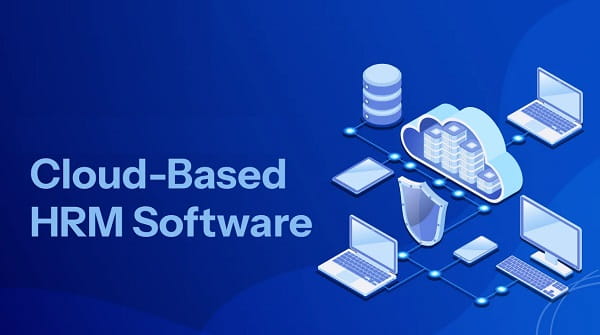
What Is a Cloud-Based HRMS?
A cloud-based HRMS is hosted on the vendor’s servers and accessed through a web browser or mobile application over the internet. The organisation does not install or maintain any software locally. The vendor manages all infrastructure, security, updates, and data backups. The company pays a subscription — typically per employee per month — rather than a one-time licence fee.
Advantages of Cloud-Based HRMS
1. Lower Upfront Cost and Predictable Subscription Pricing
On-premises HRMS requires significant upfront investment: server hardware, software licences, implementation costs, and ongoing IT maintenance. Cloud removes most of this. The organisation pays a monthly or annual subscription that scales with headcount. For growing businesses with capital constraints, this pay-as-you-go model is substantially more accessible. The total cost of ownership is typically lower for organisations under 500 employees over a three-to-five year period.
2. Anywhere, Anytime Accessibility
Cloud HRMS is accessible from any device with an internet connection — desktop, laptop, tablet, or smartphone. HR managers can process payroll from home. Employees can apply for leave from a site location. Managers can approve expenses from an airport. This location independence is not just a convenience in 2026; it is a practical requirement for organisations with hybrid work models, multiple offices, or field-based workforces.
3. Automatic Updates and Compliance Refreshes
Statutory compliance in India changes constantly — tax slabs, PF contribution rates, ESI thresholds, Labour Code provisions, professional tax rates across states. With on-premises HRMS, applying compliance updates requires manual IT intervention and version upgrades. With cloud HRMS, the vendor deploys updates automatically, typically overnight, without any action required from the organisation. This is one of the most practically significant advantages for Indian HR teams.
4. Rapid Implementation and Go-Live
Cloud HRMS platforms are designed for fast deployment. A company of 100–300 employees can typically be live on a cloud HRMS within two to eight weeks. There is no hardware procurement, no infrastructure setup, and no network configuration. The vendor provides the environment; the company configures it. This is dramatically faster than on-premises implementations, which can take months.
5. Scalability Without Infrastructure Investment
Adding new employees, new geographies, or new modules in a cloud HRMS is typically as simple as upgrading a subscription tier or activating a module. The underlying infrastructure scales automatically. There is no need to procure additional server capacity or hire IT staff to handle growth. This scalability makes cloud HRMS particularly well-suited to fast-growing organisations.
6. Strong Security From Enterprise-Grade Providers
Contrary to early perceptions, cloud HRMS security in 2026 is typically stronger than what most SMEs can implement on-premises. Leading cloud vendors invest in enterprise-grade encryption, multi-factor authentication, SOC 2 compliance, regular penetration testing, and role-based access controls. For organisations without dedicated IT security resources, the cloud vendor’s security infrastructure is often more robust than what they could build and maintain themselves.
7. Reduced IT Burden
The vendor manages all server maintenance, backups, software updates, security patches, and infrastructure monitoring. This removes a substantial operational burden from the company’s IT team — or eliminates the need for dedicated HR IT resources entirely. HR teams can focus on HR work rather than software maintenance.
Disadvantages of Cloud-Based HRMS
1. Internet Dependency
Cloud HRMS requires a stable internet connection to function. In locations with unreliable connectivity — remote manufacturing sites, rural branch offices, or areas with frequent outages — this dependency creates operational risk. A payroll run that must happen by a statutory deadline cannot wait for the internet to come back. Organisations with connectivity challenges need contingency plans or offline capability.
2. Recurring Subscription Costs at Scale
For very large organisations with thousands of employees, subscription-based pricing can become more expensive over time than a one-time on-premises licence investment. The per-employee-per-month model that makes cloud accessible at 100 employees can represent a significant ongoing cost at 5,000 employees. Large enterprises should model five-to-ten year total cost of ownership before assuming cloud is always more economical.
3. Data Residency and Sovereignty Concerns
When employee data is stored on the vendor’s servers, the organisation relinquishes direct physical control over that data. For organisations in regulated industries — BFSI (banking, financial services, insurance), defence, government — or those subject to data localisation requirements, this can create compliance concerns. The question of where data is physically stored (which country, which data centre) matters for some regulatory frameworks.
4. Limited Customisation in Standardised SaaS Platforms
Cloud HRMS platforms, particularly at the SME tier, offer configuration rather than customisation. The organisation can configure the system within defined parameters — adjusting workflows, setting leave policies, configuring pay structures — but cannot modify the underlying code. For organisations with highly unique HR processes that do not fit standard models, this configurability ceiling can be a genuine constraint.
5. Vendor Lock-In and Data Portability Risk
Once an organisation’s HR data lives in a vendor’s cloud platform, migrating away becomes operationally complex. Data export formats, integration dependencies, and contractual terms can create effective lock-in. Organisations should evaluate data portability provisions — the ability to export all data in usable formats — before signing any cloud HRMS contract.
6. Ongoing Cost Is Unavoidable
Unlike on-premises software (where the licence is a one-time purchase), cloud subscription costs continue indefinitely. Discontinuing the subscription means losing access to the system. This ongoing financial commitment requires budget predictability that some organisations find constraining.
Frequently Asked Questions
Q1. Is cloud-based HRMS secure for storing sensitive employee data?
A: Yes, for most organisations. Leading cloud HRMS vendors invest in enterprise-grade encryption, regular security audits, and data centre compliance certifications (SOC 2, ISO 27001). For most SMEs and mid-market companies, cloud security is typically stronger than what they could implement on-premises. Regulated sectors (BFSI, government) should evaluate specific data residency requirements.
Q2. What happens to our data if we stop using a cloud HRMS?
A: This is a critical evaluation criterion. Before signing any cloud HRMS contract, confirm the data export policy — specifically, what formats are available, how long data is retained after contract termination, and what the process for complete data deletion involves. Most reputable vendors provide data export provisions, but terms vary significantly.
Q3. How fast can a cloud HRMS be implemented?
A: Typically two to eight weeks for organisations under 300 employees. The speed depends on data migration complexity, the number of modules being activated, and integration requirements with existing systems. Enterprise implementations with complex configurations can take three to six months.
Q4. Can cloud HRMS work for organisations with poor internet connectivity?
A: Poorly — internet dependency is the primary limitation. Some cloud HRMS vendors offer limited offline capability for specific mobile functions (like attendance marking), but full system functionality requires connectivity. Organisations with significant connectivity challenges should evaluate hybrid models or on-premises alternatives for critical functions.
Q5. Is cloud HRMS more expensive than on-premises in the long run?
A: It depends on organisation size and time horizon. For organisations under 500 employees, cloud is typically more cost-effective over five years due to eliminated hardware and IT maintenance costs. For very large organisations (2,000+ employees), the cumulative subscription cost can eventually exceed a one-time on-premises licence investment. Model both scenarios with your specific headcount projections before deciding.