If you have spent any time evaluating HR software, you have almost certainly encountered the acronyms HRIS and HRMS used interchangeably — sometimes by the same vendor, in the same brochure, on the same page. The confusion is understandable. Both systems manage employee data. Both automate core HR processes. Both reduce reliance on spreadsheets and paper. So what, exactly, is the difference?
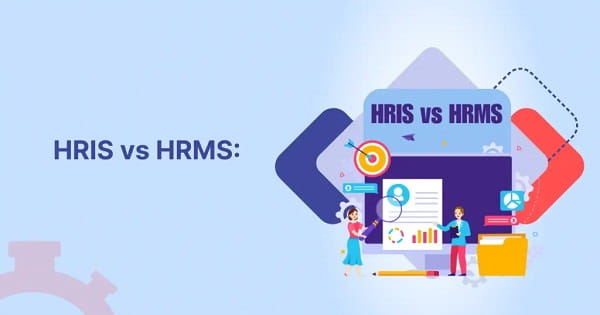
The answer is scope. An HRIS is the foundation. An HRMS is the full building.
What Is an HRIS?
HRIS stands for Human Resource Information System. As the name suggests, it is fundamentally a data management tool — a centralised digital repository for everything a company needs to know and record about its employees.
A standard HRIS handles:
employee records and personal data management, payroll processing and salary history, benefits administration, time and attendance tracking, leave management, basic compliance reporting, and organisational charts.
The HRIS is designed for operational efficiency and data accuracy. It eliminates the chaos of scattered spreadsheets, ensures payroll runs correctly, and gives HR teams a reliable single source of truth. For companies primarily concerned with keeping records accurate, running payroll on time, and meeting statutory compliance requirements, an HRIS delivers exactly what is needed.
HRIS platforms are particularly well-suited to smaller organisations — typically those with under 100 employees — that need digital HR infrastructure without complex workforce management capabilities.
What Is an HRMS?
HRMS stands for Human Resource Management System. An HRMS includes everything an HRIS does and extends considerably further into the operational and strategic management of the workforce.
Where an HRIS manages employee records, an HRMS manages the complete employee lifecycle — from the moment a job is posted to the day an employee exits the organisation. Additional capabilities in an HRMS typically include:
recruitment and applicant tracking (ATS), structured onboarding workflows, performance management and goal tracking, learning and development administration, training programme management, employee engagement tools, advanced workforce analytics and dashboards, and document workflows with policy acknowledgment tracking.
The HRMS moves HR from a record-keeping function to a process management function. It creates consistency in how employees are hired, onboarded, developed, and managed — not just how their data is stored. This matters enormously as companies grow, because inconsistency in people processes is one of the most common sources of compliance risk and employee experience problems.
HRIS vs HRMS: A Direct Comparison
| Feature | HRIS | HRMS |
| Employee Data Management | Yes | Yes |
| Payroll Processing | Yes | Yes |
| Attendance & Leave Tracking | Yes | Yes |
| Benefits Administration | Yes | Yes |
| Basic Compliance Reporting | Yes | Yes |
| Recruitment & ATS | Limited or No | Yes |
| Onboarding Workflows | Limited or No | Yes |
| Performance Management | No | Yes |
| Learning & Development | No | Yes |
| Advanced Analytics & Dashboards | Basic | Advanced |
| Employee Self-Service Portal | Basic | Full-featured |
| Ideal Organisation Size | Small to mid-size | Mid-size to large |
| Strategic HR Capability | Low | Medium to High |
Where the Overlap Causes Confusion
The honest reality is that the boundary between HRIS and HRMS has blurred in 2026. Many modern HR platforms that vendors market as HRIS systems now include onboarding, basic performance tracking, and some recruitment functionality. Conversely, some HRMS platforms lead with data management and present their advanced features as optional modules.
The terminology matters less than the actual feature set of any platform you are evaluating. When comparing systems, focus on the specific capabilities your organisation needs rather than the acronym in the product description. Ask vendors directly: does this system include applicant tracking? Does it manage performance reviews? Does it support learning management? The answers will tell you more than the label.
As OrangeHRM’s analysis of the market notes, HRIS focuses more on operational efficiency while HRMS aims to provide a comprehensive, strategic view of HR management — even if the line between them continues to shift as platforms evolve.
Which Should You Choose?
Choose an HRIS if your organisation is in an early stage, has fewer than 100 employees, and needs reliable data management, payroll automation, and compliance tracking without complex workforce management. The cost is typically lower and implementation is faster.
Choose an HRMS if your organisation is growing, has reached a point where inconsistent hiring, onboarding, or performance processes are creating problems, and needs to manage the employee lifecycle more comprehensively. The investment is higher but the return scales with the organisation.
The right choice is the one that matches your current operational complexity while leaving room for the growth you expect over the next two to three years.
Frequently Asked Questions
Q1. Is HRIS the same as HRMS?
A: Not exactly. HRMS includes all the capabilities of an HRIS plus additional tools for recruitment, onboarding, performance management, and learning. In practice, the terms are often used interchangeably by vendors, so always evaluate actual feature lists rather than relying on the acronym.
Q2. Which is better for a small business — HRIS or HRMS?
A: For most small businesses (under 100 employees), an HRIS provides sufficient capability at lower cost and simpler implementation. As the organisation grows and needs structured recruitment, onboarding, and performance management, moving to an HRMS or activating additional HRMS modules becomes worthwhile.
Q3. Can an HRIS handle payroll?
A: Yes. Payroll processing and compliance are core functions of most HRIS platforms. The system automates salary calculations, statutory deductions, and tax compliance.
Q4. What comes after HRMS in terms of scope?
A: HCM — Human Capital Management — is the next level. HCM includes everything in HRMS and adds strategic workforce planning, succession management, talent development strategy, and long-term organisational planning capabilities.
Q5. Do modern cloud HRMS platforms still need on-premise installation?
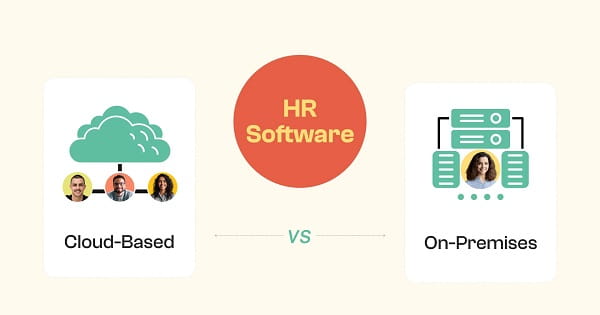
A: No. The vast majority of HRMS platforms in 2026 are cloud-based SaaS solutions. They are accessible from any device, receive automatic updates, and do not require on-premise hardware or dedicated IT maintenance.